Separate Lens and Pose Data
Depending on the tracking system configuration, it is sometimes useful to receive lens and pose data from different tracking streams. When using REtracker, this configuration is mandatory.
1. Lens Tracking
The main tracking input is the one used for lens tracking:
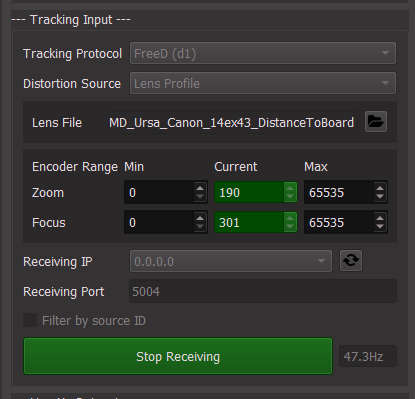
All protocols supported by CalibFX Lineup are supported here, as usual.
The received data looks like this:
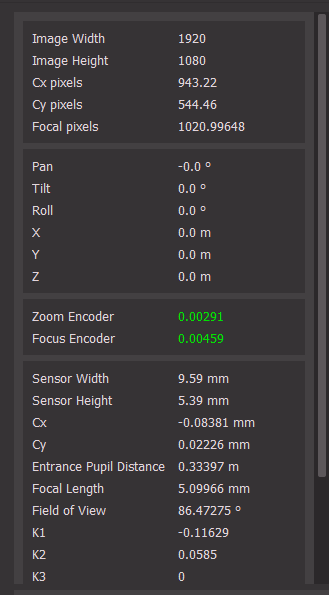
We see that we don't have positional data here because this lens tracking system does not provide it.
Note
if we had pose data here, we can still proceed. They would be overriden by the new pose.
2. Pose Tracking Override
Check the Advanced box, a list of options will appear:
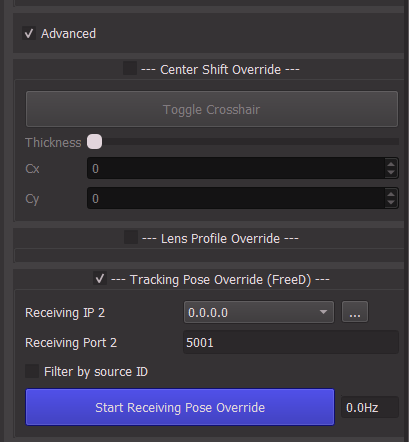
Check Tracking Pose Override (FreeD). This only supports the FreeD protocol currently. Set the IP and Port targeted by the second tracking system and press Start Receiving Pose Override.
Now the current data on the right shows the pose from this input, along with the lens data of the previous input:
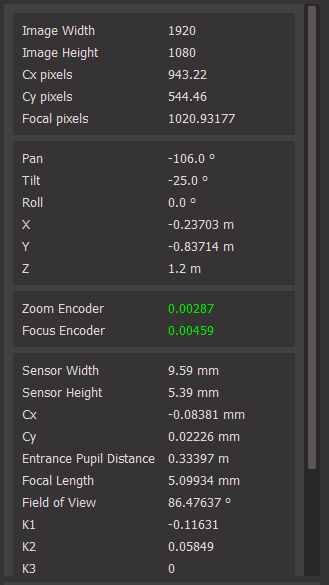
From this point on, you can do the calibration as usual.